특정 색상만 추출
image = cv.imread('balloon.webp')
hsv = cv.cvtColor(image, cv.COLOR_BGR2HSV)
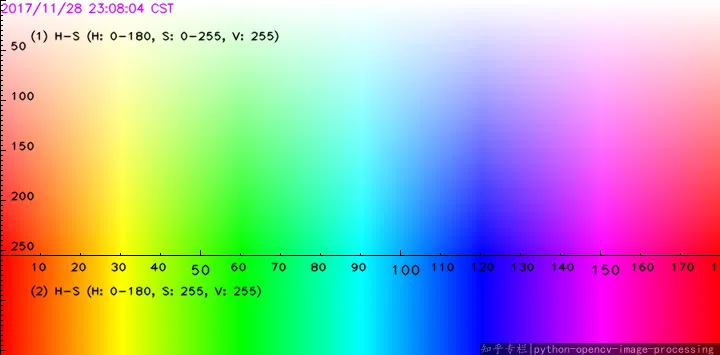
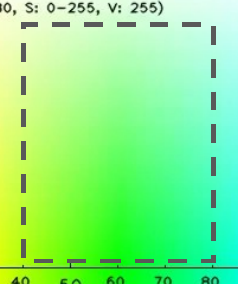
- HSV에서 H가 40
80 사이, SV는 50255 사이인 부분만 추출
lower = np.array([40, 50, 50])
upper = np.array([80, 255, 255])
mask = cv.inRange(hsv, lower, upper)
Image.fromarray(mask)
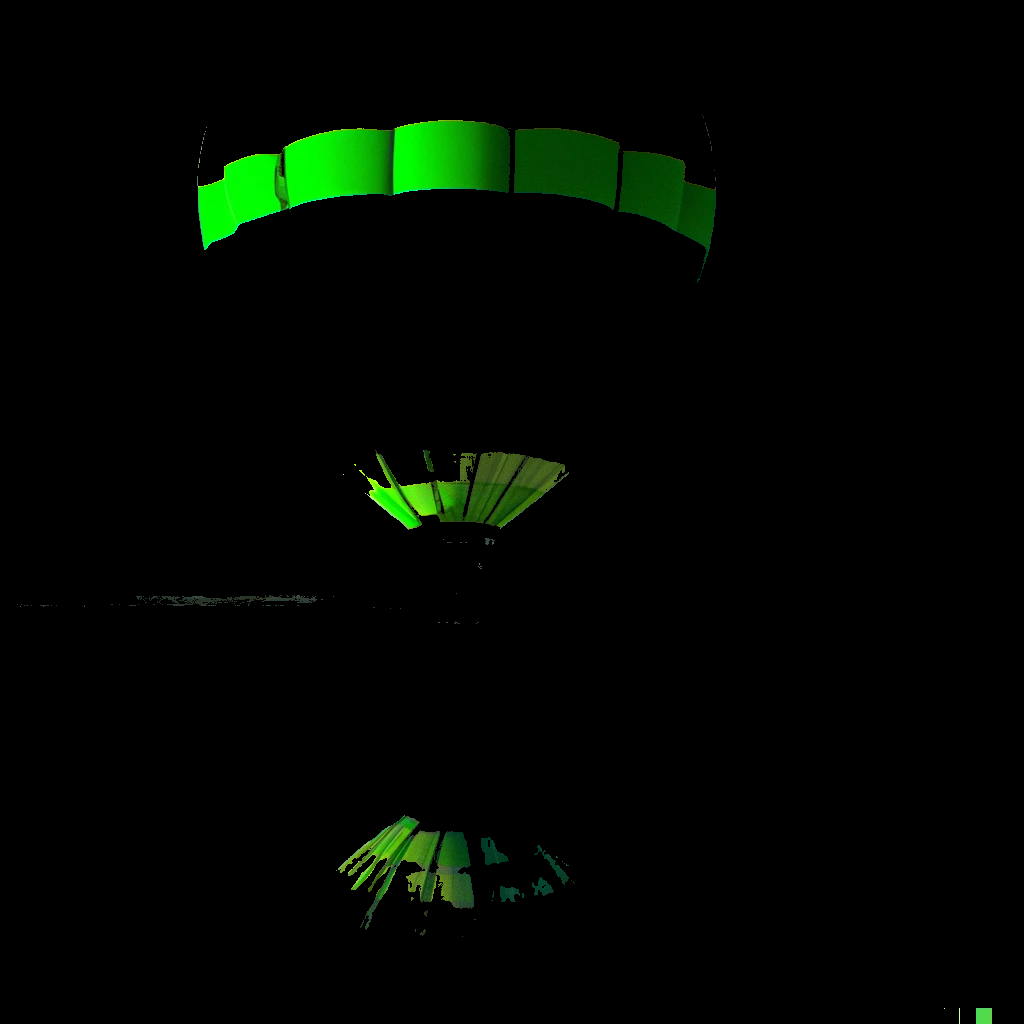
cv.bitwise_and(image, image, mask=mask)
크로마 키를 이용한 합성
foreground = cv.imread('chroma-key.jpg')
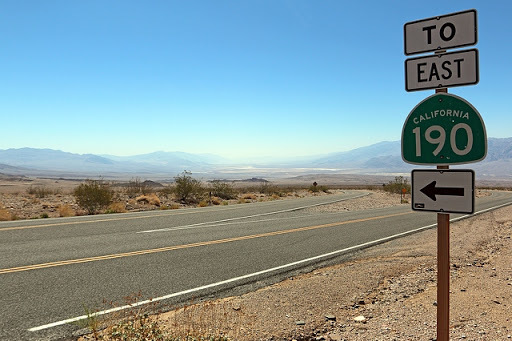
background = cv.imread('desert.jpg')
height, width = foreground.shape[:2]
background = cv.resize(background, (width, height))
hsv = cv.cvtColor(foreground, cv.COLOR_BGR2HSV)

lower_green = np.array([40, 100, 100])
upper_green = np.array([60, 255, 255])
mask = cv.inRange(hsv, lower_green, upper_green)
mask_inv = cv.bitwise_not(mask)

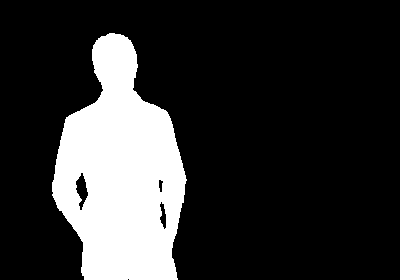
fg_isolated = cv.bitwise_and(foreground, foreground, mask=mask_inv)
bg_isolated = cv.bitwise_and(background, background, mask=mask)
final_output = cv.add(fg_isolated, bg_isolated)

비트와이즈 연산
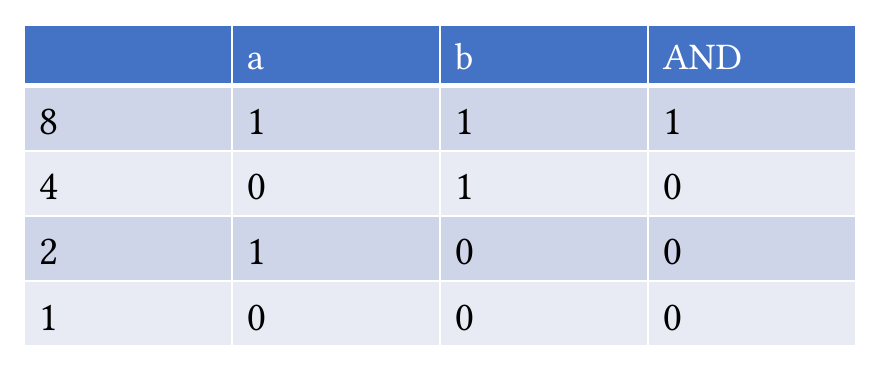
- 각각의 비트를 비교하여 비트 단위로 AND 연산
a = 10
bin(a)
aa = np.array(a)
b = 12
bin(b)
bb = np.array(b)
cc = cv.bitwise_and(aa, bb)
c = cc.item()
bin(c)
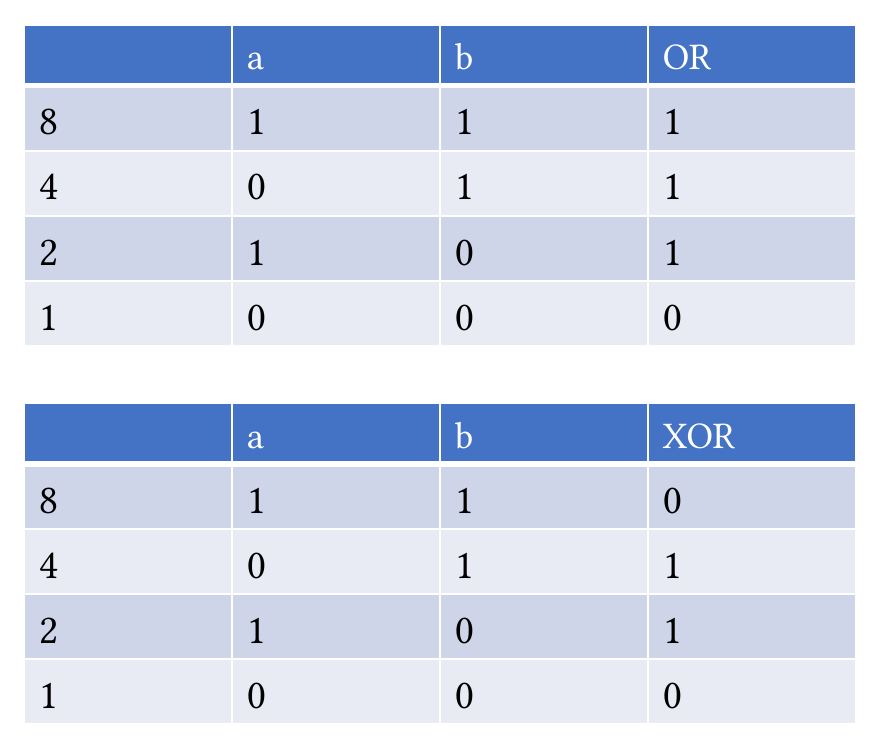
- 각각의 비트를 비교하여 비트 단위로 OR 연산
dd = cv.bitwise_or(aa, bb)
d = dd.item()
bin(d)
- 각각의 비트를 비교하여 비트 단위로 XOR 연산
ee = cv.bitwise_xor(aa, bb)
e = ee.item()
bin(e)
마스크
- 마스크를 적용할 경우, 마스크에 색이 존재하는(1보다 큰) 영역에서만 비트와이즈 연산을 적용
src = np.array([[10, 12]])
mask = np.array([[1, 0]], dtype=np.uint8)
cv.bitwise_and(src, src)
cv.bitwise_and(src, src, mask=mask)
