
OBB
축 정렬 경계 상자(AABB)
축 정렬 경계 상자(Axis-Aligned Bounding Box, AABB)는 이미지의 가로·세로 축에 평행한 직사각형 상자.
- 일반적인 객체 인식에서 사용하는 경계 상자
- 객체가 기울어지면 불필요한 배경까지 포함
- 가까이 있는 다른 객체와 상자가 크게 겹칠 수 있음
- 객체가 놓인 방향을 표현하기 어려움
회전 경계 상자(OBB)
회전 경계 상자(Oriented Bounding Box, OBB)는 객체의 방향에 맞춰 회전하는 직사각형 상자. 일반적으로 중심점, 너비, 높이, 회전 각도로 표현.
- 회전된 객체의 영역을 AABB보다 밀착하여 표현
- 회전된 객체 사이의 실제 겹침을 IoU에 더 충실하게 반영
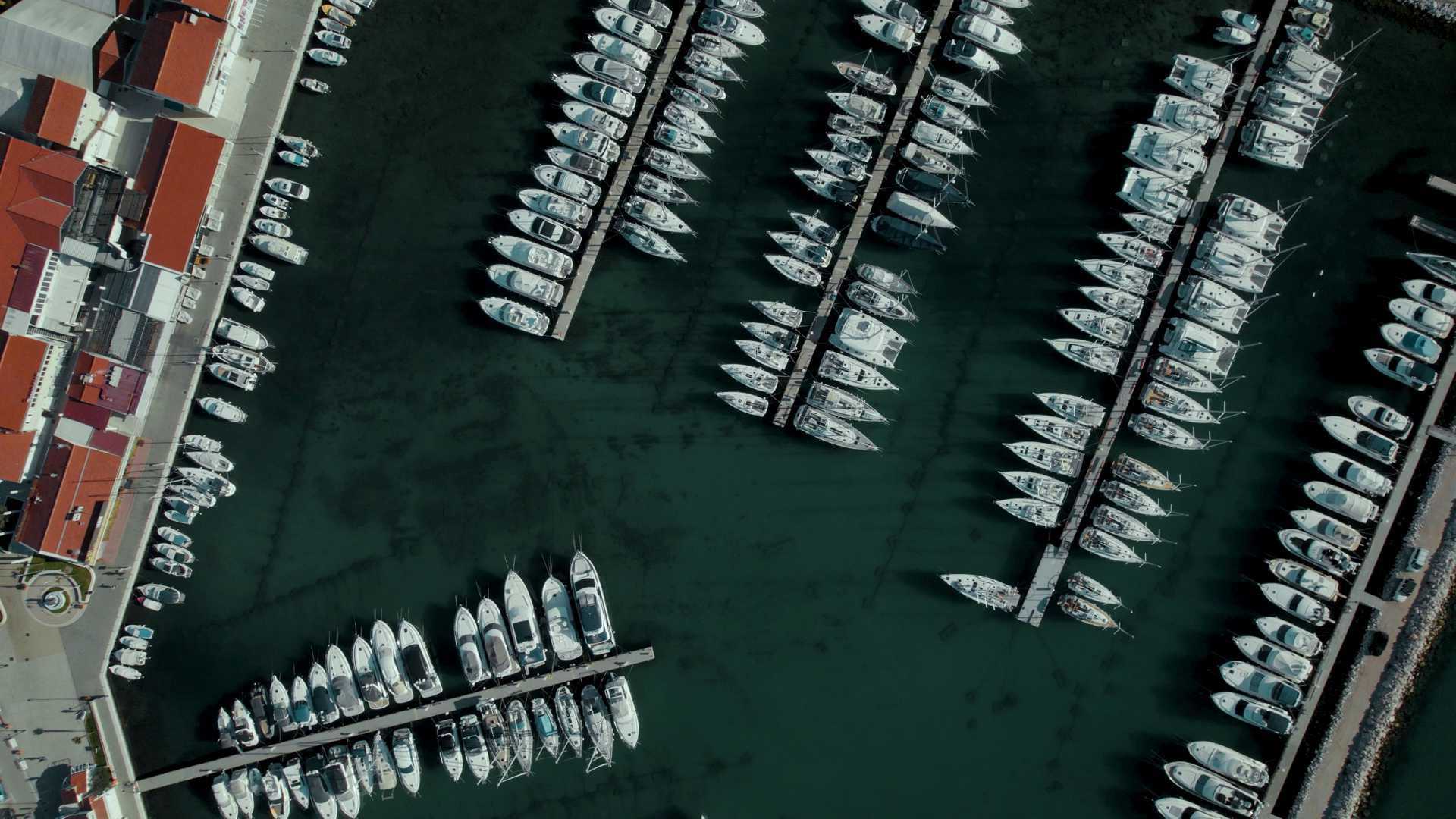
- 항공 사진의 건물·차량·선박, 제조 부품, 문서의 텍스트 영역 탐지에 활용
실습 준비
import math

import cv2 as cv
from PIL import Image, ImageDraw, ImageFont
from ultralytics import YOLO
OBB 탐지
model = YOLO("yolo26n-obb.pt")
img = cv.imread("boats.jpg")
results = model(img)
간단한 시각화
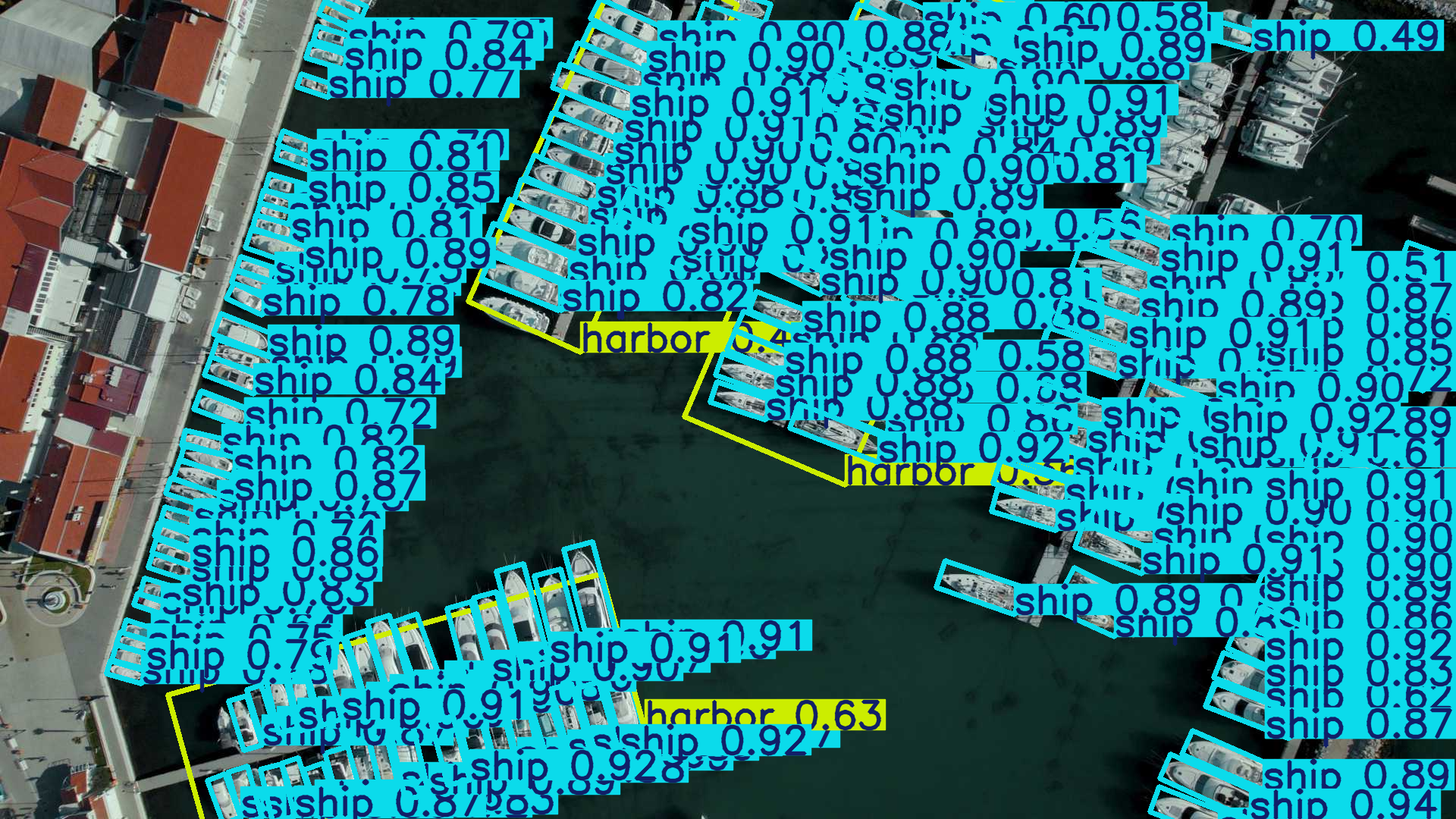
array = results[0].plot()
Image.fromarray(array[:, :, ::-1])
선박의 기울기에 맞춰 경계 상자가 회전하므로 가까운 선박도 각각 구분 가능.
수동 시각화
# 레이블용 기본 글꼴
font = ImageFont.load_default()

# 원본 이미지 위에 직접 그리기
img_bbox = Image.fromarray(cv.cvtColor(img, cv.COLOR_BGR2RGB))
draw = ImageDraw.Draw(img_bbox)

result = results[0]

positions = result.obb.xyxyxyxy.cpu().numpy()
boxes = result.obb.xywhr.cpu().numpy()
class_ids = result.obb.cls.int().cpu().numpy()
confidences = result.obb.conf.cpu().numpy()

for pos, box, class_id, confidence in zip(positions, boxes, class_ids, confidences):
    # 네 꼭짓점을 연결하여 초록색 OBB 그리기
    draw.polygon(
        [tuple(p) for p in pos],
        outline="#00FF00",
        width=3,  # OBB 선 두께
    )

    # 클래스 이름과 신뢰도 레이블
    name = result.names[class_id]
    label = f"{name}({confidence:.2f})"

    # 중심점, 너비, 높이, 너비 축의 각도(라디안)
    x, y, w, h, r_rad = box
    arrow_length = w / 2.0
    end_x = x + arrow_length * math.cos(r_rad)
    end_y = y + arrow_length * math.sin(r_rad)

    # 중심점과 너비 축을 빨간색으로 표시
    center_radius = 4  # 중심점 반지름
    draw.ellipse(
        (x - center_radius, y - center_radius, x + center_radius, y + center_radius),
        fill="#FF0000",
    )
    draw.line(
        [(x, y), (end_x, end_y)],
        fill="#FF0000",
        width=3,  # 너비 축 선 두께
    )

    # 첫 번째 꼭짓점에 레이블 표시
    text_position = tuple(pos[0])
    draw.text(text_position, label, fill="#00FF00", font=font)
img_bbox
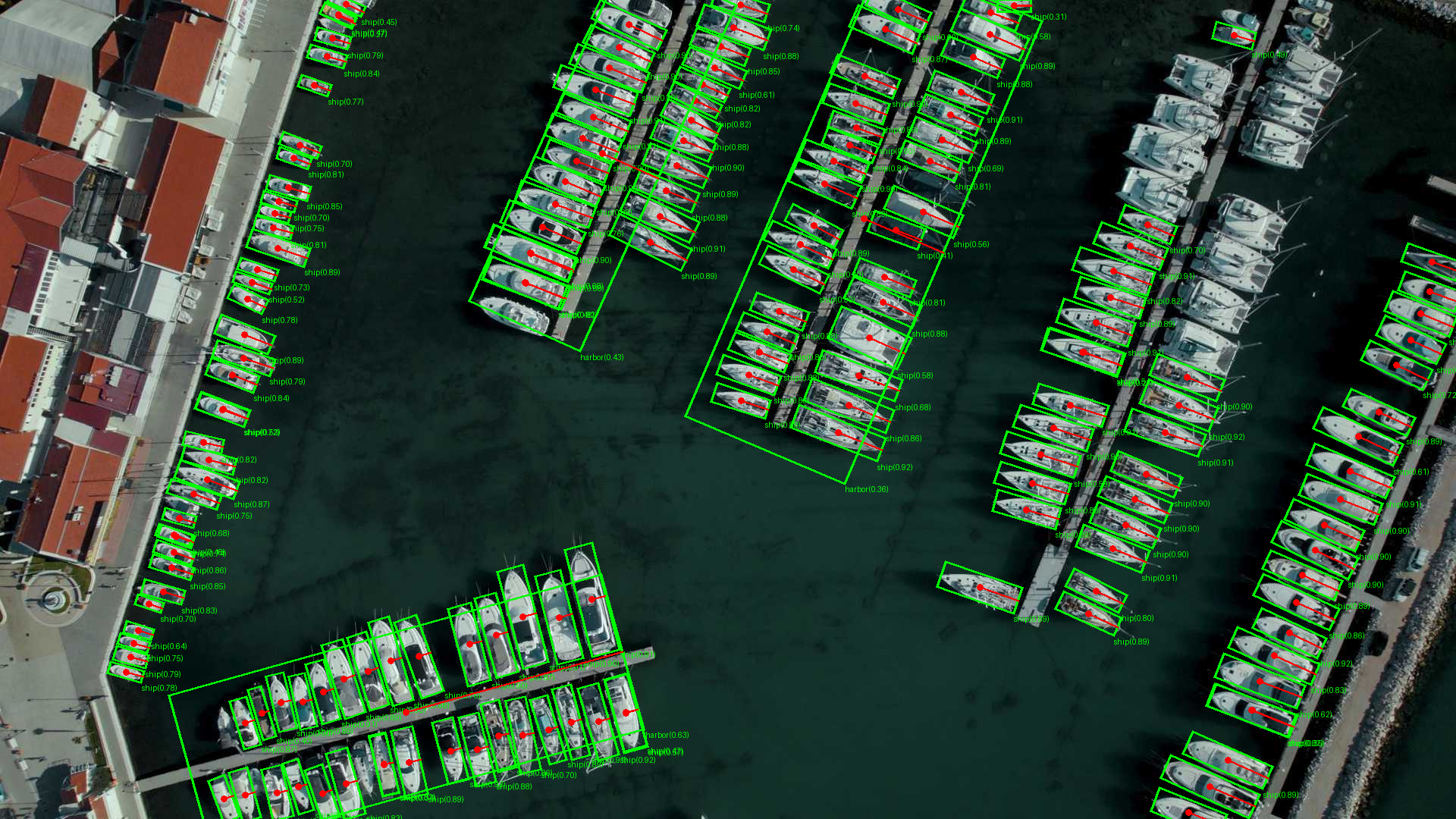
초록색 선은 OBB의 네 꼭짓점, 빨간 점은 중심점, 빨간 선은 xywhr의 너비 축을 표시. 빨간 선은 선박의 진행 방향을 뜻하지 않음.
퀴즈
축 정렬 경계 상자(AABB)의 설명으로 가장 알맞은 것은 무엇입니까?
퀴즈를 풀려면 대화형 기능을 불러와야 합니다.